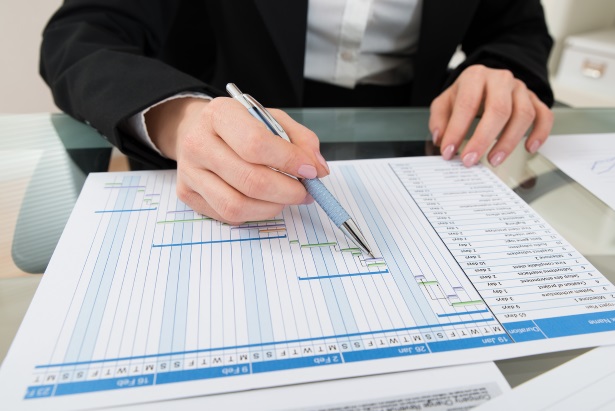
The Fundamentals of Probability Distributions

There are two algorithms that are the basis of probability distributions and statistical analysis. One is the Monte Carlo, which is the older of the two. The other is the Latin Hypercube.

Back story of the Monte Carlo Method

There’s an interesting back story to the invention of the Monte Carlo method. It was Stanislaw Ulam who first started playing around with this a long time ago, pre-World War II. He broke his leg and was in rehab for a long time, convalescing.

He played solitaire to pass the time, and wanted some way of figuring out what the probability was that he would finish his solitaire game successfully. He tried many different math techniques, but he couldn’t do it. Then he came up with this idea of using probability distribution as a method of figuring out the answer.

Years later, scientists working on the Manhattan Project were trying to figure out what the likelihood was for the distribution of neutrons for nuclear reaction. They remembered this method and used it to calculate something that they couldn’t figure out any other way. They needed a name for it. One of the guys on the team had an uncle that used to gamble a lot in Monte Carlo, so they decided to call it the Monte Carlo method in honor of the odds and probabilities found in casinos.

Differences Between the Monte Carlo Algorithm and the Latin Hypercube

When you run a Monte Carlo simulation or a Latin Hypercube simulation, what you’re trying to achieve is convergence. This is when you reach the point where you could run another ten thousand, or another hundred thousand simulations, and your answer isn’t really going to change.

Because of the way the algorithms are implemented, Latin Hypercube reaches convergence more quickly than the Monte Carlo. It’s a more advanced, more efficient algorithm for distribution calculations.

Which One Should I Use?

They’re both going to come to the same answer, so the choice comes down to familiarity. Older school risk assessment people are going to have more experience with the Monte Carlo, so they might default to that, whereas newer folks would naturally tend toward a more efficient algorithm.

They’re very similar. One is newer and faster, but with computer software there’s no extra work on anyone’s part. It’s really just a question of which method you are more comfortable with. We practice both.

The Ubiquity of Risk

Risk management is a broad term, the application of which can vary in the extreme depending on the field in question.  For instance, many of the tales told about the 2008 financial disaster reference disenfranchised or disemboweled risk departments within organizations such as AIG and Merrill Lynch.

The field of international relations has its own take on risk management.  Does anyone else remember long, languid afternoons in the summertime playing RISK?

In the world of project management, risk is one of the process areas considered for every project.  This is captured in the PMBOK, the most accessible text, and the one that comes closest to the risk management applied in construction management.  Last year, I did a presentation with some of PMA’s construction risk experts and Steve Farkus, P.E, PMP, of the U.S. Army Corps of Engineers, for some of the thousands of project managers employed by the Corps.  Our goal was to give an overview of the application of qualitative and quantitative risk analysis in construction.  Typically, this takes the form of a qualitative gathering and ranking of risks, which leads to a quantitative analysis of the riskier risks in the risk register (to put it rather alliteratively).  Here is a copy of the PowerPoint we presented in Long Beach.

For construction projects, the quantitative portion of risk is usually broken into cost and schedule analysis.  The process is similar for both.  I’ll focus on schedule risk analysis, since that is the area in which I have more familiarity.

Having identified the most potentially disruptive risks through the qualitative risk process, now we want to start assigning some numbers to the potential risks to determine what impact they could have on the duration of the deterministic schedule.  We go through a process of “ranging” individual activities on the schedule that might be impacted by a risk.  The ranging process is usually done in collaboration with subject matter experts and the project team.  We talk about how a risk might extend the duration of an activity if it becomes active.  In a schedule where logical ties enforce relationships, a change in the duration of one activity can have a ripple effect throughout the schedule.   The typical approach would be to add an Optimistic, Pessimistic, and most likely, Duration assessment for each activity we want to risk on the schedule.

Having created a logically-tied deterministic schedule with ranging for activities, now we can perform a statistical modeling process against the schedule in order to determine the statistical probability of completing the schedule on any given date.  The process is most commonly done with aMonte Carloanalysis, although recently, Latin Hypercube has also been applied.  Each of these methods relies on using statistics to generate “realizations” of the schedule.  The process randomly selects a duration for each activity in the network based on the previous ranging exercise.  Each realization is, in essence, a snapshot of a potential outcome for the schedule if certain risks activate and others do not.   After many realizations (around 1000 for most of the schedules we work with), we achieve convergence.  Convergence is the point at which the realizations have reached the full potential of distributions and at which further realizations will typically duplicate previous outcomes.

It is a source of continuous amazement to me that this works, which is to say that, when properly performed, the project team can really produce an accurate probability forecast for the project finishing on the deterministic date.  It kind of reminds me of what it’s like to watch an airliner take off.  Intellectually, I understand the physics of lift, and how the plane takes off, but it still amazes me every time I see it happen.

“Man Plans, God Laughs”

Planning and risk mitigation improves project performance.

The boom arm of a mobile crane is supported across the three tracks of the Metra’s Burlington Northern Santa Fe tracks near the Westmont station just west of Cass Avenue, after the unit it was on tipped over, disrupting commuter service to the western suburbs. The crane was lifting a new overhead railroad signal at the time it tipped over. | Dom Najolia~Sun-Times

This distinctly not reassuring aphorism has a grain of truth to it.  How, as professional planners, do we approach this?  An anecdote may be illustrative – it certainly inspired some thoughts on the subject.  A crane fell onto the tracks used by the train I usually take, and there were delays. There are two important points to take away from this.

First, we can see the huge importance of planning.  Trains wouldn’t be full of people every day if they weren’t dependable. The fact that the train is a valuable as a form of transportation is a product of good planning.  Even if the schedule falls short of perfection, this doesn’t undermine the efficiency that the train  accomplishes day in and day out, for so many people.  That wouldn’t be possible without careful planning.

Secondly, even though the risk of delays was realized, Metra’s response was good enough that passengers weren’t resentful.  Updates were frequent, and delays were made clear before passengers boarded.  A conductor came by and provided bottled water while we were stopped.  And, while mitigating the consequences of an already-realized risk is not the main goal of risk management, the actions Metra took did a remarkable amount of good.  This effective approach to dealing with risks would also be impossible without a plan in place.

Conversely, it’s pretty clear that there was a lack of effective planning in the deployment of the crane.  I wasn’t able to determine the genesis of the failure.  It could be that the crane was not sufficient for the load, or was stationed on some unstable earth.  Who knows?   One thing we know for sure:  if the base of a crane tips over while lifting a load and shuts down a commuter rail service, disrupting the commute of thousands, something went wrong with the plan.  There was a risk that either was not considered or not mitigated.

Of course, risk management is immensely complicated.  It involves identifying possible risks, acknowledging the limits of even doing that, considering the probabilities of risks and the results of realized risks, prioritizing, mitigating the probabilities and trying to alleviate the consequences of risks that are realized.

But for all of these complications, planning and risk management improve situations, sometimes by quite a lot.  All told, the efforts of planners facing the difficulties of risk management have saved incalculable amounts of time and money and have resulted in a similar amount of progress.  To get back to, “Man Plans, God Laughs” – serious, professional planning may not be perfect, but it is supremely worthwhile.

BIM = Building Information Modeling & NetPoint Communicating new ideas made easy

Pat Weaver has an excellent-as-usual piece on the emergence and role of Building Information Modelling (BIM).  The key feature of BIM is that it does 4D modeling of schedules (the fourth dimension is time).  An image of the project is rendered in 3D, while the schedule is rendered in more traditional form (like a Gantt chart), and as the schedule is updated, the image progresses. Most importantly, the schedule can be experimented with digitally, and as that happens, the 4D rendering will progress and respond accordingly.  All of this allows for a lot of discovery and problem-solving in digital rather than physical form, and it encourages collaboration from everyone relevant to the project because BMI makes communicating new ideas so easy.

Weaver notes that BIM looks increasingly like the future, but that integrating the model with the schedule takes considerable skill.  With this in mind, it is great that the Graphical Path Method in NetPoint is interoperable with Synchro, a program from Synchro Ltd that runs BIM. Thanks to this, schedules from NetPoint – which are already meant to be helpful graphic representations – can transfer smoothly to Synchro and be presented as BIM. Two means to one end: effective project planning.

On that note, PMA is proud to announce that it will be presenting with Synchro at the annual Construction CPM Conference this January in New Orleans!  It is sure to be an excellent conference, and the Third Annual NetPoint User Conference will be held on the second day.  Learn more and sign up here.

Great Words about NetPoint from the Massachusetts Gaming Commission!

“What this tool does most helpfully is allow…people to get together and actually talk about the consequences of doing one thing or another and having those consequences appear in real time.”

 “…you can tell instantly the effect of extending a deadline for three weeks or missing a deadline by two weeks or advancing a deadline by a month will have on every other facet of the project.”

 -Commissioner James McHugh, Massachusetts Gaming Commission (MGC) 


These comments and many other great insights on NetPoint, from its “user-friendliness” to the needs it meets come from the Massachusetts Gaming Commission (MGC) meeting of July 2, at which the Commission considered and approved using NetPoint.  It is awesome to see a high-quality program like NetPoint getting this kind of recognition.

The MGC posted the entire meeting online. The discussion about PMA and NetPoint comes at about forty-five minutes in, when Commissioners Enrique Zuniga and McHugh start talking about the merits of NetPoint.

See  for yourself how highly they think of it:

Commissioner Zuniga pointed out: “Clients like us at the executive level were getting bogged down in too many little activities and there was this real need to have something that was user friendly. And I think to a great degree they have accomplished that.”

The MGC posted the fulltranscript of the meeting where NetPoint was discussed and approved.  You can find the start of the dialogue on NetPoint starting on page 33. It is an articulate and enthusiastic commentary on the value NetPoint brings, and PMA could not be more excited to hear it.


“What I think is relevant here is that this is a step further [towards] having people like us understand the real inner workings of a schedule. Whereas [with] tools like Primavera… this is so complex they would end up creating this black box mentality of ‘We need to have somebody who really knows how to manage that’’ and ‘Just tell me what the results [are].’

I think this tool gets us much further away from that, [and closer] to where we need it… understanding what is behind dependencies and dates and milestones.”

-Commissioner Zuniga, Massachusetts Gaming Commission

Getting by the “Tripping Point!”

I recently read a post on Techrepublic that told a story about a manager who was working on a project using the Critical Path Method. The manager expressed frustration about the impact the holiday season was having on the schedule.  She thought that a solution would be to add some of of the not so “critical” items to the schedule to ensure that the team she was managing remained focused.

This story is a good example of what a tripping point the language of CPM can be. That fact that this remains an issue for project managers is an indication of its difficulty. 

Graphical Planning Method (GPM) is based on bars and nodes to represent activities and has a strict Logic Mode to enforce many of the rules CPM was developed to follow. The key here is that a graphical representation of the plan makes the distinction between critical and important activities easier for everybody to follow.  That seems to be what CPM lacks.

Getting by the “Tripping Point!”

Critical Path is Easy as 1,2,3, Really?

I recently read Andrew Filev’s article Critical Pathis Easyas 1,2,3, which first defined Critical Path Method (CPM) and explained how to build out a schedule.

Mencken said that for every complex problem there is a clear solution that is simple and wrong. Graphical Planning Method argues that the tools for getting the robust, correct solution need not be complicated.

If the current offering of resources for project managers in need of help with every aspect of Critical Path Method – from the fundamental concept to the nuances of leveling resources – is any indication, the mechanics behind it remain as difficult as ever. This often makes interpreting, let alone creating, a CPM schedule is an intense challenge. This inhibits communication and understanding within a project and proves to be a massive difficulty for key stakeholders who don’t have backgrounds in professional scheduling. In a post titled nothing less than “Why Critical Path is Critical to Project Management,” Dr. Andrew Makar, an IT program manager, writes, “I’ll admit I’m reluctant to create a network diagram and start the forward and backward pass mechanics.”

This all means CPM is far from as easy as 1-2-3. Perhaps the fundamental concept, which is that the series of events that defines the timeframe for the project should be identified, is fairly easy. But for about sixty years now its complexities in application have continued to engage (and frustrate) project managers and so using CPM correctly is hardly a matter of counting.

GPM is more than a typo removed from CPM. Its presentation as a graphical display is a world away from CPM’s black box calculations. Making it possible for stakeholders other than professional schedulers to intuitively grasp a schedule is, of course, only for the best. GPM is not as easy as 1-2-3, but as easy as click-and-drag. It is more like, when you stop clicking and dragging the schedule is refreshed through its own NetPoint rules as opposed to be bringing in a calculating engine.  NetPoint rules of course include the GPM algorithms, the self-healing algorithms.

The Logic control enforces the common-sense rules CPM was designed to follow. Float and drift are calculated instantaneously as objects are dragged and rescheduled easily. Every aspect of the design, from the ability to customize the positioning of text to the visual representation of data dates, contributes to the clarity of the schedule. The user and not the algorithm drive the activity dates and the fact that GPM recognizes both the ability to float forward and drift backward.  Just that capability enables users to set dates. CPM requires constraints to enable users to enable the user to set dates, which constraints most unfortunately overlook drift.  All this allows for collaborative planning and clear understanding on the part of every stakeholder of even the most complicated solution.

The GEM of optimizing time

As you may know, our motto is “Seeing is Planning.” The truth behind the motto is that a visual interactive tool lets you work with and understand a plan with phenomenal ease. You don’t need a lot of explanation.  You don’t need a scheduling professional to tell you exactly what it’s showing you.

One of the biggest advancements in NetPoint 4.1 is the addition of Global Edit Mode [GEM].  It allows users to easily manipulate all the different elements of the plan.  Consistency is even better, and placement is even clearer now.  Although we haven’t had an official commercial release, we know that the users who have seen it have been very, very happy with the improvements.

Essentially, when you’re working on a NetPoint plan, you add a start date, activities, activity duration, and end date.  Those are all elements of an object.  GEM allows you to turn the whole screen into a flexible canvas on which you can move any of the elements related to any of the objects really easily.  While trying to make your picture look better, you can move any element.

It used to be that things were done in very separate steps:

  • The information would be prepared, possibly written on note cards or sticky notes.
  • The cards would be placed by different participants in a collaborative effort onto some sort of time scale.
  •  The team members would move things around and hope they had their math and dates correct.
  • Then, the project plan would be handed to somebody else who would complete it and maybe use a CPM tool.
  • Sometimes the overseer would take another step to make the CPM plan more visually pleasing and easier to understand by using a tool like Visio.

We have put all of this into one step that integrates the visuals and the calculations.  The product can be used immediately to explain the plan in clear terms. You don’t have to take it somewhere else to generate a graphic that’s user-friendly.

This is a huge time saver.  It would probably take a few days of interaction and extraction to achieve what GEM produces in a single day.  Aside from that, the quality of the output is so different and people’s understanding of the interdependence of the different vertical groups has been largely improved so the difference is even greater.

Issues that were abstract become concrete.  You used to have an 80- or 100-page business plan.  Nobody really understood how the parts were dependent on each other for hand-offs and completion dates and what impact changes would have on the overall commercialization plan.  Now GEM helps easily show those relationships and interdependency.

One of our clients is a major theme park organization that has been using GEM for a few weeks.  The client’s team members cannot stop talking about how great it is.  We’ve received feedback that people wanted a feature that made it easier to see the various moving parts and how they related to each other.  People wanted better import capability from Excel into NetPoint.  People wanted graphic representations of schedules and plans.  We listened, and we answered that call with NetPoint 4.1 and GEM.

The Impact of GPM on Planning and Scheduling


Transcript below:

Brandies: Our guests today are Daniel Molnar, Project Controls Lead of the Northeast region of Merck Pharmaceuticals and Tim Mather, Chief Technical Officer at PMA Consultants and PMA Technologies. I’m Brandies Dunagan, a social media specialist at i.c.stars.

Today we’re going to discuss the impact of the Graphical Path Method on scheduling and planning.

Brandies: So Dan, can you describe your role at Merck?

Dan: Sure. As project controls lead, I tell everybody it’s a pretty easy job. My job is to tell project managers that they’re over budget and behind schedule. But truly, the division that I work for manages over a billion dollars of capital a year, and our role is to support project management teams in developing their schedules and their budgets and keeping track of the progress of the work.

Brandies: Okay, and since we’re talking about the Graphical Path Method, Tim, can you tell us a little bit about the history of GPM, Netpoint, and a little bit about the founder, Dr. Gui Ponce de Leon, PE, CEO and Managing Principal at PMA Consultants?

Tim: I sure can. So Netpoint is really the outgrowth of the GPM as conceived by Dr. Gui, as we can call him, because the Ponce de Leon PE Lead AP PMP takes too long. Dr. Gui came to the United States from Lima, Peru in the 60s and was the first Ph.D. in Construction Management at the University of Michigan; and his doctoral thesis is on the topic of alter algorithms for the computation of critical path networks. So he’s been thinking about this stuff for a while because I think he got his doctorate in ’72 and activated PMA shortly thereafter.

Our organization has grown over the years. It’s a nationwide project and program consulting firm. We do project controls work. We also do owner’s representation work and expert witnessing when projects go wrong – which we would never have to do for Merck because Dan is in place to manage that.

Brandies: Of course.

Tim: So Dr. Gui conceived of this idea of a different way of calculating the critical path. We started to work on the software maybe in 2006 or 2007 to bring his idea to life, and his idea was really to graphically and gesturally be able to manage a project schedule versus the database driven method that were used in CPM.

Brandies: Okay, and since we’re asking about CPM and the Graphical Path Method versus the Critical Path Method, just so we understand a little bit better about CPM, and we understand this traditional approach to develop project plans- you’ve introduced GPM as the evolution of that approach. Can you talk about some of the weaknesses that Netpoint addresses in CPM?

Tim: Sure. CPM was originally conceived in the 1950s as a method of modeling a schedule in order to create a timeline of a project. Nobody had done that. Prior to that, the state of the art was a Gantt chart. It didn’t have the kind of logical ties for predecessors and successors that you would find in CPM. In order to accomplish that, the developers of CPM used a formula that they called the early date and late date; forward pass and backward pass; and it’s a way of running through the network of activities and calculating what the early start date would be for each activity and then each successor activity, and then on the way back, what the late start date would be for each successor activity. Those late dates and early dates are kind of forced in CPM and the big breakthrough in GPM, although there’s a lot that can be talked about in GPM. But the big breakthrough is that because we don’t use that forward pass and backward pass, we have a kind of different algorithm. We’re able to set activities right on their planned date.

So whenever the planner wants the activity put on the date that’s where it stays. In a typical CPM application if you put an app, say you put an activity on March first, but it’s predecessor activity ends let’s say February third, then CPM is going to move your activity back to February fourth, unless you constrain it. Whereas in GPM, wherever you put the activity that’s where it sits and it just gives the planner so much more control over the way the network develops and it’s a much more intuitive way for non-scheduling experts to look at a plan and to help develop a plan and part of the big difference between GPM and CPM, is that with GPM – with it’s very intuitive and accessible graphics – you can access subject matter experts who normally get kind of confused by a CPM application. They can engage in a GPM planning session in a way that a CPM planning session kind of falls flat.
(more…)

Zero lag turnaround time in adaptive decision cycling during interactive planning sessions: The OODA Loop and GPM

OODA stands for Observe, Orient, Decide, Act. Or as my friend John Kennedy puts it…
Break it down ~ Think it thru ~ EXECUTE

Observation: the collection of data by means of the senses.
Orientation: the analysis and synthesis of data to form your current mental perspective.
Decision: the determination of a course of action based on one’s current mental perspective.
Action: the physical playing-out of decisions.
Of course, while this is taking place the situation may be changing. It is sometimes necessary to cancel a planned action in order to meet the changes.

The OODA loop was originally developed by military strategist USAF Colonel John Boyd. Boyd was looking for a way to improve the performance of fighter pilots in air to air combat (dog fights). He realized that the decision cycle was four steps.

When you think about an average day you execute the OODA loop thousands of times. Driving your car in traffic you ‘Observe’ other vehicles, ‘Orient’ yourself and surroundings, ‘Decide’ what action to take, and then take the ‘Action’. As soon as the action is taken you ‘Observe’ anew and the cycle begins again.

In his book Thinking Fast and Slow, Kahneman divides our thinking into two systems: system one (fast) and system two (slow). System one is the intuitive, lightning quick thinking that answers the question: what’s 1 + 1? System one is the silent author of many of the choices we make, and we are not even aware that the bus is being driven or that system one is the driver. System two is the laborious uncomfortable thinking that is brought on by questions like: What’s 167 X 234?

Thinking back to the previous post and the work done by Dr. Kahneman: the OODA loop requires quality input to help system one, if you have to engage system two it will slow the flow of the OODA loop. Sometimes this is unavoidable, but it can be minimized.

A good interactive planning session is rife with OODA. If everyone is working together to build a plan then the OODA loop is executed each time an activity or logic tie is added or changed during the session. So optimizing the fluid execution of the OODA loop will help create a more interactive and productive planning session. The Graphical Path Method enables planners to get instant visual feedback on the entire evolving model each time a change is made. This real time feedback keeps the OODA flowing and by optimizing flow the session becomes infinitely more productive. At PMA Technologies we say: Seeing is Planning, to see a video of NetPoint in action click on the plan.

The evolution of planning through GPM is actually a radical increase in capability driven by the adaptive algorithms of GPM.

Boyd emphasized that this decision cycle is the central mechanism enabling adaptation (apart from natural selection) and is therefore critical to survival. Planners: Unite, Evolve, Engage.

© Visualize The Plan